Saturday, 1 March 2014

ES File Explorer File Manager


Description
ES, 300 millions global downloads, file manager trend leader on Android!
Rated as one of best resource management tools on Android market.
ES File Explorer is a free, full-featured file and application manager.
It functions as all of these apps in one: file manager, application manager, task killer, download manager, cloud storage client (compatible with Dropbox, Google Drive, SkyDrive, Box.net, Sugarsync, Yandex, Amazon S3, and Ubuntu One...), FTP client, and LAN Samba client.
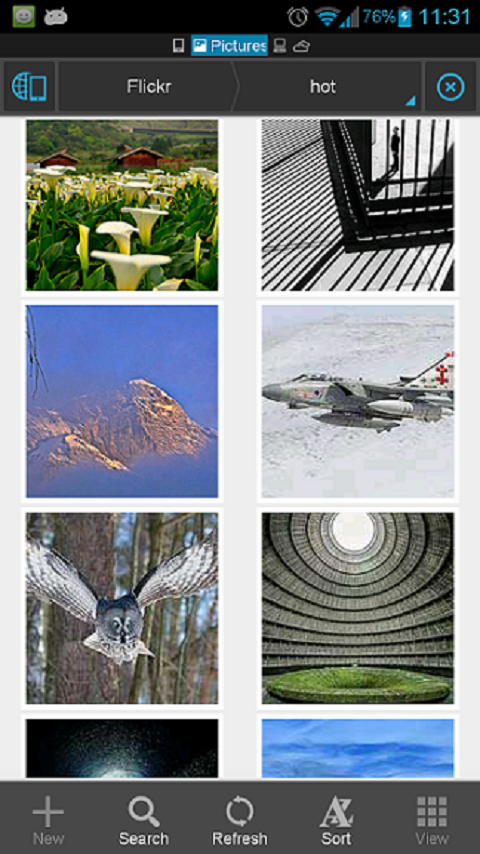
It provides access to pictures, music, video, documents, and other files on both your Android devices and your computers.
ES File Explorer allows Android users, no matter where they are, to manage their resources freely. You can access all of your files from your mobile device and share them with others. This app makes it easy to stay connected over 3G, 4G, EDGE, or Wi-Fi to share with friends, upload photos, and watch videos.
ES File Explorer 3.0 currently supports 30+ languages:
English, Russian, Japanese, Korea, French, Spanish, German, Chinese, Italian, Hebrew, Vietnamese, Slovak, Czech, Hungarian, Ukrainian, Tamil, Catalan, Turkish, Lithuanian, Portuguese...
This standard version is for Android 2.1, 2.2, 2.3, 3.1, 3.2, 4.0, 4.1,4.2 and 4.4. Android 1.5 ~ 2.0 users, please use ES File Explorer Cupcake.
You can download older version from our official website.Classic Theme can be downloaded on Google Play.
Features List:
* File Manager – Manage your files like you do on your desktop or laptop using Multiple Select, Cut/Copy/Paste, Move, Create, Delete, Rename, Search, Share, Send, Hide, Create Shortcut, and Bookmark; operations can be performed on local files (on Android device) or remotely (on your computer)
* Application Manager – categorize, uninstall, backup, and create shortcuts to your apps
* Remote File Manager – when enabled, manage files on your phone from your computer
* Built-in ZIP and RAR support allows you to compress and decompress ZIP files, unpack RAR files, and create encrypted (AES 256 bit) ZIP files
* Built-in viewers and players for various file types, including photos, music, and videos; supports third-party applications, such as Quick office, for opening others
* Shows thumbnails for APKs and images
* Text viewers and editors
* Access your home PC via WiFi with SMB
* Functions as your FTP and WebDAV client. Manage files on FTP, FTPS, SFTP, and WebDAV servers just like you manage files on your SD card
* Supports Dropbox, Box.net, Sugarsync, Google Drive (Google Docs is now a part of Google Drive), SkyDrive, Amazon S3, Yandex and more.
ES File Explorer is an enhanced cloud storage client with more functions than the official versions,
it can save photos, videos, and other files to your internet drives and share them with others.
* Bluetooth file browser You can copy and paste files between Bluetooth ready devices. It supports OBEX FTP for browsing devices and transferring files between Bluetooth devices.
* Kill tasks with a single click, increase memory and speed up your device -- includes a simple widget that stays on your home screen for knowing your current RAM situation and automatically killing tasks, with an ignore list to ignore the applications you want to keep running.Task Manager module required
* Cache Cleaner and Autostart manager -- Delete those junk files that take up valuable storage space.Task Manager module required.
* Root Explorer -- the ultimate set of file management tools for root users. Provides access to the entire file system and all data directories, and allows the user to change permissions.
* Developers can visit our website for the developer interface for picking files from your applications, emailing attachments, etc.
* More features included, and more to come
We’re working to create the best file manager on Android Market, so please do not hesitate to CONTACT US with your comments, suggestions, or any issues you may have.


What's New
V3.1.0.3
-Boost cloud upload speed
Meet Android bug(not ES issue) & cant update? Try
-Clear Google play cache & reboot or download from our website
-Clear data/data/com.estrongs.android.pop & retry(for root)
No download video option in Facebook?
-New FB app blocks it. Use old version FB app.& We're working on it.
V3.0.0~V3.1.0
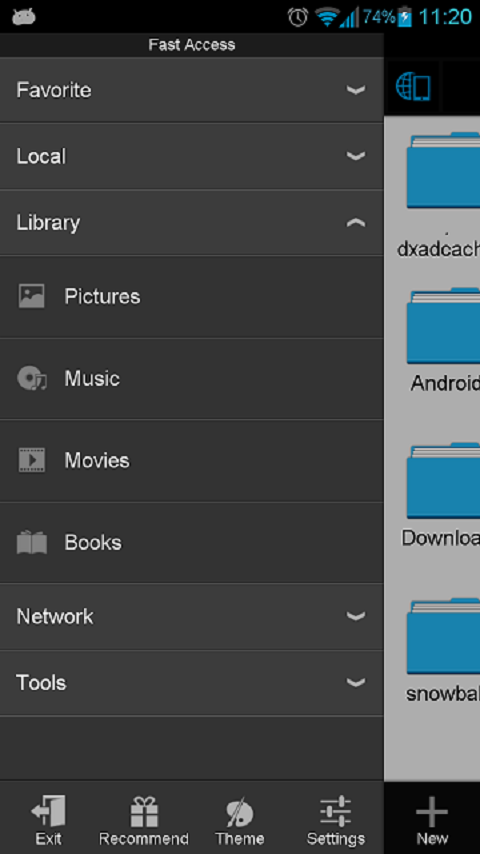
Homepage;Web Search;Recycle Bin;Batch Rename;GIF;Open As;Task Manager;Playlist;Fast Access;WiFi Send;Gesture;Theme;Root Explorer..
V1.6 is available on our website



CLICK HERE TO DOWNLOAD

Clean Master


Description
Most downloaded Android Cleaner and RAM Booster in the world from a top 10 global developer.

☆Over 100 million users, supporting 32 languages.
☆Featured by CNET, LA Times, The Boston Globe, XDA & much more.
☆#1 App in the Utilities category in the world.
Clean Master is the #1 Android optimizer and junk file cleaner designed to increase the speed of your device. Features are continually added and updated to make your mobile life easier and more convenient.

Antivirus Engine - Ranked #1 by AV-Test, providing professional quality security.
Memory Boost/Task Killer - Boosting apps and games speed is much easier with Clean Master. 
Clean - Delete those junk files (cache and residual) that take up valuable storage space.
Clear - Protect your privacy by deleting personal information like your search and browser history.
App Management - Move apps to an SD card, remove pre-installed apps and backup .apk files.

"Apps on a phone gradually eat up memory and the life of your device as its cache fills up. To clean that out, the Clean Master app for Android devices finds the cached files generated by the apps that are hogging your storage, and it helps get rid of them." - Los Angeles Times
"Android: If you're running low on space on your Android device, Clean Master makes it easy to identify what's hogging your storage, and helps you get rid of it." - LifeHacker.com
"If you want to get your Android device clean and free of junk files, head on over to Clean Master." - XDA-Developers.com

See what it can do for you:
[Antivirus Engine] - Added Security
Professional grade antivirus that will detect and report any malware on your device. Now you can rest easy knowing that your device is safe and secure.
[Security & Privacy] - "Privacy" has been upgraded to "Security & Privacy". Added a new security feature, based on our 16 years of security experience, to protect your privacy and property. Clean Master can erase important information and keep your personal data secure.
[App Picks] - A new feature added under the App Manager section. Find fun and useful apps based on your interests and favorites.
[Widget] - Floating Widget
Multiple task management from a quick widget. Use the Switch tab to handle your Wi-Fi, ring settings, bluetooth, etc., and shut down apps / release RAM from the App tab.
[Game Boost] - Run games lag-free
Clean Master manages system resources while you're playing a game - say goodbye to game stuttering and freezing from now on! Start your games from the Game Boost section of Memory Boost or directly from the games folder on the homescreen for an average speed-up of 20%.
[Junk Files] - Clean Cache and Residual Files
On Android devices, cache and residual files can build up and occupy gigabytes of your device's space. Cleaning junk files can help free up memory on your device and SD card.
[Memory Boost] - Increase memory and speed up your device
Tasks running in the background not only occupy system RAM, but also waste your battery life. Memory Boost can stop other apps that are running in the background and free up more RAM to speed up your Android device. This includes a shortcut called "1 Tap Boost", easily accessible from your home screen. Running Android apps and play games faster ever than before!
[App Manager] - Uninstaller, Backup, Move to SD
An uninstaller that is an improvement over the default Android version, which is also able to create backup .apk files. Some rooted users will also be able to move apps to their SD card as well as uninstall pre-installed and system apps.
[Overview] - Your device at a glance
New for 4.0, now you can easily see an exact breakdown of your device's storage situation. Simple charts and statistics show you what file types are taking up space, allowing you to better plan your cleaning and storage strategy.


What's New
Hi all, After our update to 5.0 Trustgo started flagging us as potentially pushing unwanted ads, but it's a false positive. We've already reached out to TrustGo and they've said that they will fix this issue in their next update, which is coming in 2 days :)
1.Added malware and vulnerability detection - protect your privacy and property
2.Added a browser security feature - prevent all kinds of harassment
3.Added recommend apps under the App Manager tab - pick from our favorites


Whatsapp Messenger


Description
WhatsApp Messenger is a smartphone messenger available for Android and other smartphones. WhatsApp uses your 3G or WiFi (when available) to message with friends and family. Switch from SMS to WhatsApp to send and receive messages, pictures, audio notes, and video messages. First year FREE! ($0.99 USD/year after)
WHY USE WHATSAPP:
★ NO HIDDEN COST: Once you and your friends download the application, you can use it to chat as much as you want. Send a million messages a day to your friends for free! WhatsApp uses your Internet connection: 3G/EDGE or Wi-Fi when available.
★ MULTIMEDIA: Send Video, Images, and Voice notes to your friends and contacts.
★ GROUP CHAT: Enjoy group conversations with your contacts.
★ NO INTERNATIONAL CHARGES: Just like there is no added cost to send an international email, there is no cost to send WhatsApp messages internationally. Chat with your friends all over the world as long as they have WhatsApp Messenger installed and avoid those pesky international SMS costs.
★ SAY NO TO PINS AND USERNAMES: Why even bother having to remember yet another PIN or username? WhatsApp works with your phone number, just like SMS would, and integrates flawlessly with your existing phone address book.
★ NO NEED TO LOG IN/OUT: No more confusion about getting logged off from another computer or device. With push notifications WhatsApp is ALWAYS ON and ALWAYS CONNECTED.
★ NO NEED TO ADD BUDDIES: Your Address Book is used to automatically connect you with your contacts. Your contacts who already have WhatsApp Messenger will be automatically displayed.
★ OFFLINE MESSAGES: Even if you miss your push notifications or turn off your phone, WhatsApp will save your messages offline until you retrieve them during the next application use.
★ AND MUCH MORE: Share location, Exchange contacts, Custom wallpaper, Custom notification sounds, Landscape mode, Precise message time stamps, Email chat history, Broadcast messages and MMS to many contacts at once and much much more!
---------------------------------------------------------
We’re always excited to hear from you! If you have any feedback, questions, or concerns, please email us at:
or follow us on twitter:
http://twitter.com/WhatsApp
@WhatsApp
---------------------------------------------------------
When roaming, additional carrier data charges may apply. Please contact your carrier for details.


What's New
2.11.150
Android ART is not supported before Android 4.4.1
bug fixes and improvements for sending and receiving audio and video
minor fixes for Android 4.4
workaround some issues on Samsung Galaxy S4
miscellaneous translation fixes and improvements


Tuesday, 25 February 2014

TTPod Music Player 7.4.1


TTPod is one of the most successful and popular music players for Android with more than 10 million downloads worldwide.
What’s the TTPod powerful features:
- High quality decoding with mp3,mp4/m4a,wma,flac and ape;
- Built in graphic and customize EQ;
- High accurate lyrics and album acts downloads;
- Plenty of skins to chose from;
- Minilyrics style floating lyrics.
We're working to make a best music player for users of TTPOD, and we can do it better with your suggestions and opinions.
So if you have any questions or good advices,please feel free to contact us by sending email to support@ttpod.com
Tags
music,MP3,musicplayer,player,song,radio,download,music download,sound,audio,skin,picture,voice,lyrics,art,singer,hifi

CLICK HERE TO DOWNLOAD


Subway Surfers


DASH as fast as you can! 
DODGE the oncoming trains!
Help Jake, Tricky & Fresh escape from the grumpy Inspector and his dog.
★ Grind trains with your cool crew!
★ Colorful and vivid HD graphics!
★ Hoverboard Surfing!
★ Paint powered jetpack!
★ Lightning fast swipe acrobatics!
★ Challenge and help your friends!
Join the most daring chase!
A Universal App with HD optimized graphics.
By Kiloo Games and Sybo Games


What's New
★ The Subway Surfers World Tour continues in Seoul
★ Explore modern Korea with the brave pop girl Mina
★ Go on Weekly Hunts for cute robots and gain prizes
★ Take the limited Bubblegum board for a surf
★ Customize Brody and Mina with cool new outfits